Entering Shared Remarks - Cycle 5
Dated material
You are viewing content from a previous JWST Call for Proposals (CfP). For information pertaining to the current observing cycle and future CfPs, please see JWST Opportunities and Policies.
On this page
Shared remarks are not available during the preliminary grading phase, as that part of the review process is intended to be non-collaborative.
Step 1 — Navigating to a proposal
Start by navigating to the proposal to be graded, as documented in Navigating and Viewing Panel Proposals - Cycle 5.
Step 2 — The Shared Remarks tab
Words in bold are GUI menus/
panels or data software packages;
bold italics are buttons in GUI
tools or package parameters.
The top area of this tab shows any remarks that have been made so far on this proposal, or “No remarks have been made here yet” if there are none. At the bottom of the tab there is a form for adding a remark.
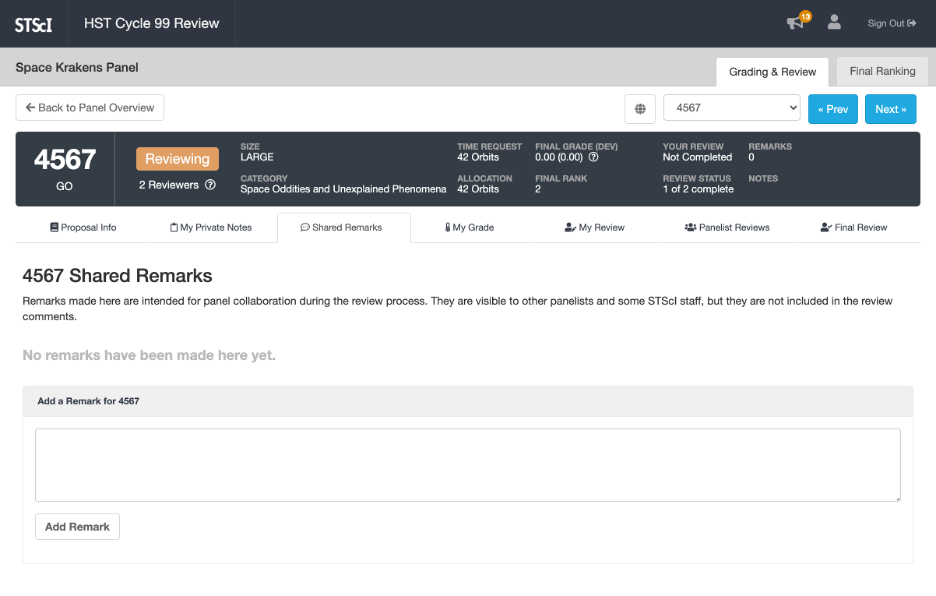
Click on the figure for a larger view.
Step 3 — Adding shared remarks
To add a remark, enter some text in the area labeled “Add a Remark …” and then click the Add Remark button. The button becomes disabled and changes to Adding while your remark is being added, which can sometimes take a few moments. When your remark has been added, the button will change back to Add Remark and the text area will be cleared.
Step 4 — Deleting shared remarks
To delete a remark you have added, click the X icon in the upper-right corner of the remark. There is currently no way to edit your remarks.
Next: Submitting the Final Version of the Proposal Feedback Comments - Cycle 5